Doorway remembers what it was, and keeps tapping your shoulder until it's done.
Get the betaFree on TestFlight · Apple Watch · iPhone · Mac
scroll · the door opens
Walking through a doorway makes your brain drop what it was holding.
Psychologists call it the doorway effect. We call it Tuesday.
So we put a light in the doorway.
Demo: on the Apple Watch idle screen you tap the amber "Tell me" button, say "Going downstairs to grab my headphones and a soda," and Doorway splits it into a two-item checklist (Grab my headphones, Grab a soda) with a progress ring that fills as you check things off. When you drift, a gentle notification nudges you about the soda; when the last box is ticked the watch celebrates: "Doorway closed."
Say it once, mid-stride.
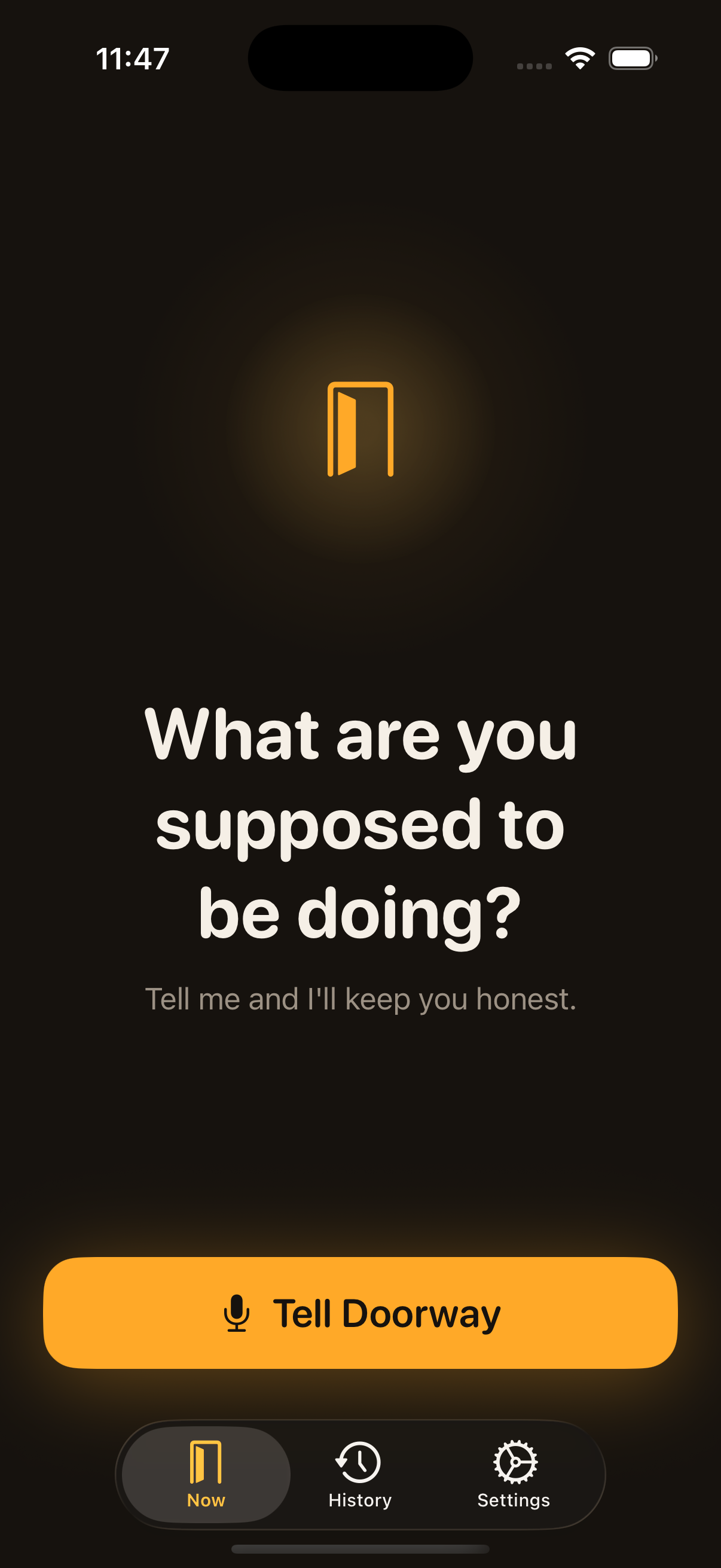
Tap. The button is the mic.
No menus, no typing. Idle screen to speaking in one tap, because capture has to beat forgetting.
Say it like you'd say it to a person.
"Going downstairs to grab my headphones and a soda." No syntax to learn: just talk.
Doorway splits it into a checklist.
Two items, before you reach the stairs. Off your mind, onto your wrist.
Check things off as you go.
Headphones in hand: one tap, the ring fills, the count climbs.
Drift, and it taps you.
"Psst — the soda." A kind word on your wrist, never a guilt trip.
Close the doorway.
Last box ticked: a little burst of light, one more doorway closed, and Doorway goes quiet.
What are you supposed to be doing?
63 doorways closed
Tell me
Same as before?
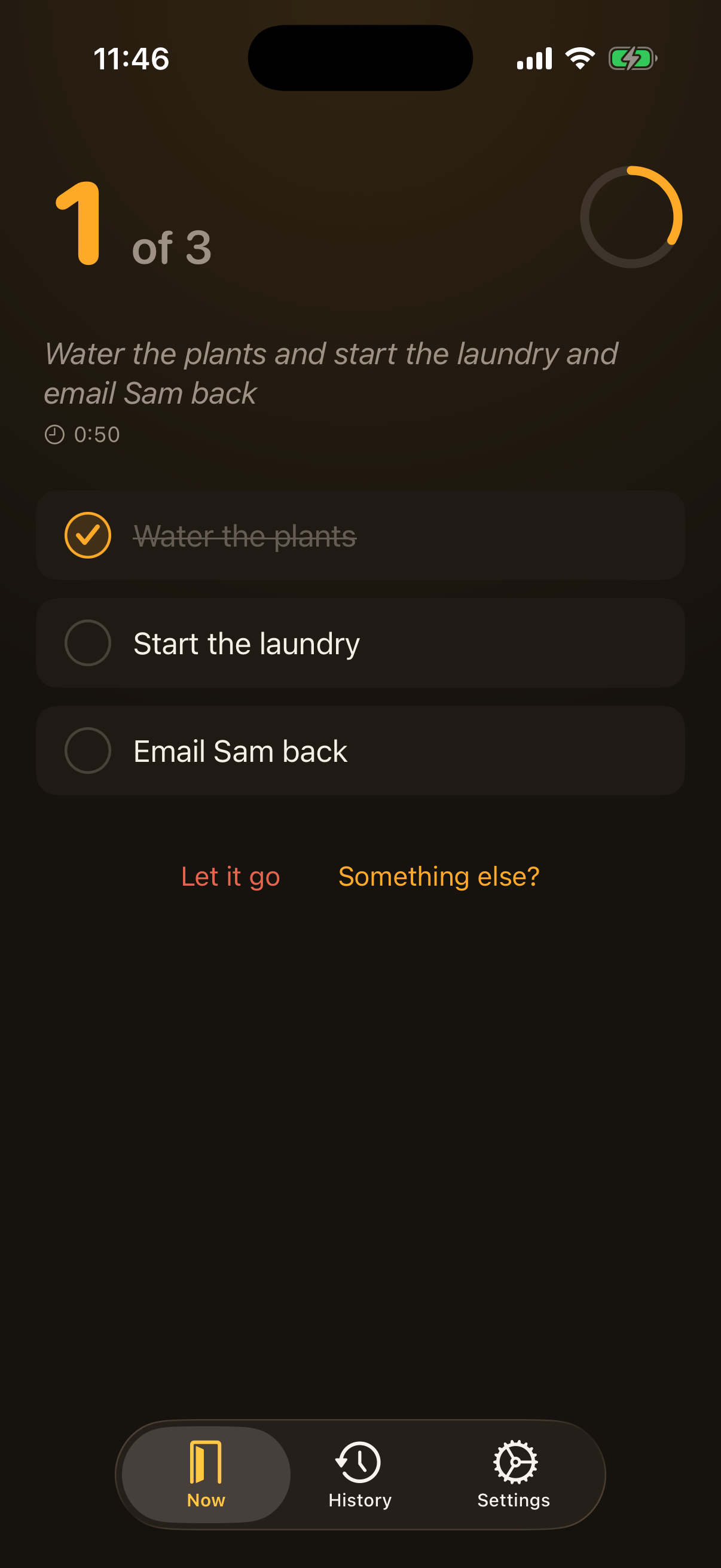
Water the plants
Goingdownstairstograbmyheadphonesandasoda
012of 2
0:41 elapsed
Grab my headphones
Grab a soda
Let it go
Doorway closed.
64 doorways closed
DoorwayPsst — the sodanow
Nudges that refuse to become wallpaper.
ADHD brains tune out repetition fast, so no two nudges land the same: new words, new rhythm, new feel.
⚿
Doorway
Psst — the soda
30 sec
⚿
Doorway
Quick check: the soda?
90 sec
⚿
Doorway
Don't let the doorway win: the soda
3 min
⚿
Doorway· Time Sensitive
Okay, for real now: the soda
7 min
⚿
Doorway· Time Sensitive
The soda is still waiting on you
14 min
Twelve at most, then silence.No backlog. No streaks.One task, right now.
The big amber count.
Your phone holds the whole errand: what's done, what's left, how long you've been at it, in type big enough to read mid-stride.
Done is done everywhere.
Check an item off on your wrist, your lock screen, or the Live Activity, and every other screen catches up on its own. The nudging stops the moment the last box is ticked.
Walk out a hero.
Check the last box and Doorway throws you a tiny parade, then gets out of your way. Everything you finish lands in History, so you can prove you did the thing.
DoorwayRound two: the laundrynow
On your wrist. In your menubar. Wherever you wander.
Start an errand on your watch and it's already waiting in your Mac's menubar, mid-nudge, when you sit back down. One task, everywhere, in sync.
FinderFileEditViewTue 9:41
FocusHistorySettings
12of 2
0:41 elapsed
✕
"Going downstairs to grab my headphones and a soda"
Grab my headphones
Grab a soda
Doorway closed. One more for the count.
+ Something else?
⌥⌘D summons it from anywhere. Type the errand, hit return, back to work.
Demo: Sam says "Tell Jess to take the chicken out of the freezer" into Doorway, and a recipient chip picks Jess out of the sentence. Sam taps "Knock on Jess's door." On Jess's iPhone a notification arrives, "Sam is at the door: take the chicken out of the freezer. I'll keep you honest," and it becomes a real Doorway errand, checklist and nudges included, labelled "Sam knocked." Jess checks it off, Jess's phone celebrates "Doorway closed," and back on Sam's idle screen the status line turns amber: "Jess closed the doorway!"
New · live in the beta
Let your favorite person haunt you. Lovingly.
Shared nudges are here. Say who it's for, and your errand lands on their phone as a real Doorway task: checklist, kind nudges and all.
New errand
TellJesstotakethechickenoutofthefreezer
JJessMMom
Jess's checklist:
Take the chicken out of the freezer
Knock on Jess's doorKnocked!
What are you supposed to be doing?
Knocked on Jess's door — on its way
Jess opened the door
Jess closed the doorway!
Tell Doorway
Sam
What are you supposed to be doing?
28 doorways closed
SSam knocked
01of 1
0:12 elapsed
"take the chicken out of the freezer"
Take the chicken out of the freezer
Doorway closed.
Sam will hear about it
Sam is at the doortake the chicken out of the freezer. I'll keep you honest.
Jess
Say who it's for.
The name in the sentence aims it. No menus, no picking.
Knock on their door.
One tap. Not a text they'll read and forget.
It lands as a real errand.
Checklist and nudges included. Mid-errand? It waits at the door.
You hear how it ended.
"Jess closed the doorway!" No follow-up text required.
Invite someone with a link. It travels through your private iCloud (no accounts, no Doorway server), and it's free for beta testers.
Questions, before you wander off.
What's the doorway effect?+
A real, well-documented memory quirk: walking through a doorway tells your brain one scene has ended, so it archives whatever you were holding, including the thing you got up to do. Psychologists have measured it in labs (Radvansky's studies at Notre Dame); everyone else has measured it in kitchens. Doorway exists to catch what the doorway drops. Read the Notre Dame study
Is Doorway made for ADHD?+
It's made for wandering brains, and ADHD brains are honored guests. Everything is ADHD-friendly by design: capture in one tap, one task at a time, nudges that keep changing instead of becoming wallpaper, and zero guilt anywhere. No diagnosis required; every brain drops things between rooms.
Do you see my errands?+
No. Your words go through Apple's dictation, the splitting-into-a-checklist happens on your device, and tasks sync between your devices through your private iCloud. There's no Doorway account and no Doorway server — your soda run is between you and your wrist. Shared nudges ride an iCloud share opened between just the two of you, and nothing else.
Can someone else send me an errand?+
Yes, that's shared nudges, and they work today. Invite someone with a link (they tap it, and the two of you are connected), then say "tell Jess to take the chicken out of the freezer." It arrives on their phone as a real Doorway task: split into a checklist, nudged kindly until it's done, and marked with who it came from. If they're already mid-errand it waits at the door instead of interrupting, and when they finish you get told, so you never have to ask.
What does it cost?+
The beta is free, shared nudges included. App Store pricing isn't final yet, but the plan is to keep solo Doorway easy to get and save the paid tier for sending shared nudges; receiving one will always be free.
What do I need to run it?+
An iPhone on iOS 17 or later. The Apple Watch app (watchOS 10+) and the Mac menubar app (macOS 14+) are optional; everything syncs the moment you add them.
When does it hit the App Store?+
Soon. It's in the final stretch: the TestFlight beta is open right now, and beta testers are the first through the door.